Unity's MCP Server Is Now Free. It Gives Your AI Agent Eyes and Hands — Not Judgment
Unity just removed the paywall on its MCP server. As of this month, connecting an AI agent to the Unity Editor over the Model Context Protocol no longer requires an active Unity AI subscription, there are no more concurrency limits, and it doesn’t consume Unity credits. If you’re on Unity 6 or newer, it’s a few clicks in Project Settings → AI → Unity MCP and your agent — Claude Code, Cursor, whatever speaks MCP — is talking to the editor.
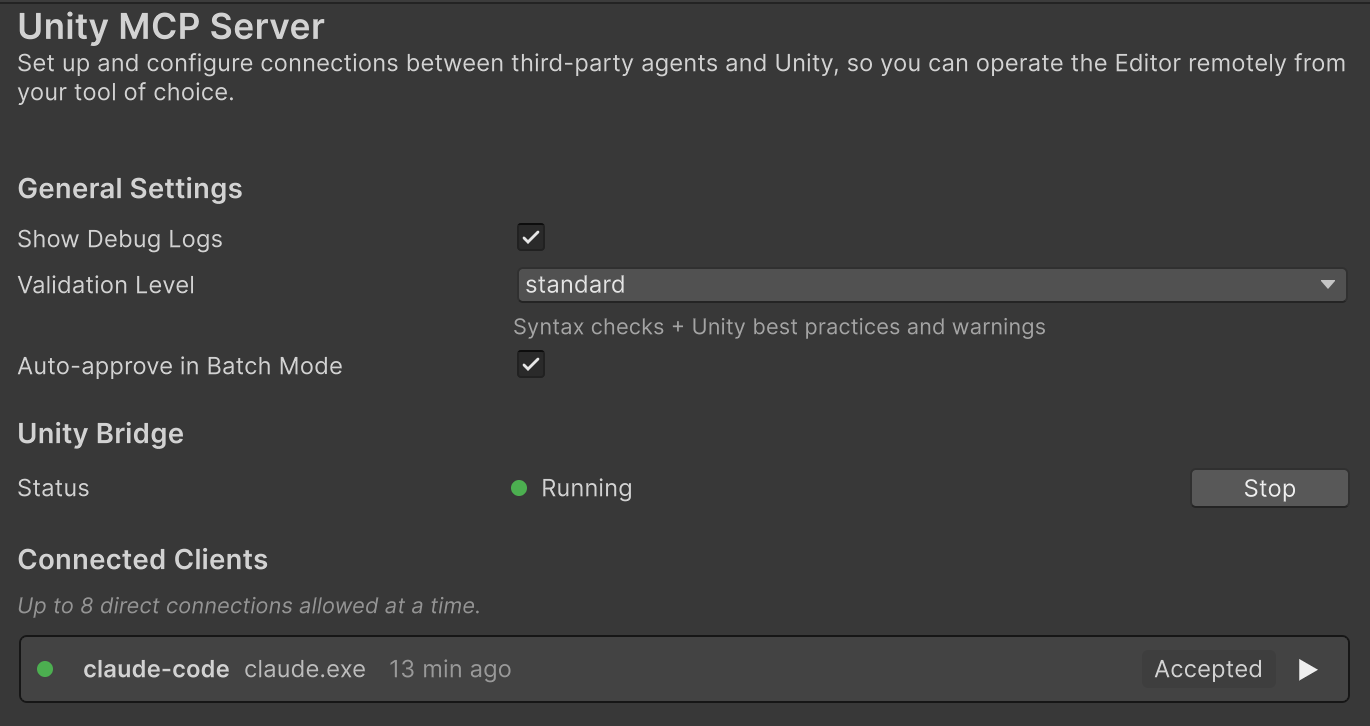
This is a real shift, and mostly a good one. It’s also worth being precise about what kind of problem it solves, because the answer tells you exactly what it doesn’t.
What MCP actually fixes
Before MCP, an agent helping with your Unity project was working half-blind. It saw the file you had open, the code you pasted, the error you copied over — and nothing else. It couldn’t see your scene hierarchy, couldn’t read a component’s actual values, didn’t know your build settings or what was sitting in the console. So it guessed, and you spent the session copy-pasting context back and forth.
MCP closes that gap. With the server running, the agent gets real-time, structured access to the live editor: the scene graph, GameObjects and their component values, project and build settings, console output. And it’s not read-only — the agent can call editor tools to act: change settings, run menu items, modify objects. Eyes, and hands.
That genuinely removes a class of dumb mistakes. An agent that can read the URP asset before it advises you on shadows is strictly better than one hallucinating about a setting it can’t see. Unity’s server is also extensible — you can register your own editor tools in C# for it to call — which is the interesting part long-term.
So MCP fixes the context problem and the access problem. It does not touch the third one.
The problem MCP doesn’t fix
The agent driving the MCP connection is still a language model. Giving it eyes and hands doesn’t change how it decides what to do — it just lets it do more of it, faster, without you in the loop. And “optimize my project” is a task where the decisions are the entire game.
We have a concrete measurement of this. A couple of weeks ago we took Unity’s own
Viking Village sample, committed a clean baseline, and asked Unity’s AI to do a full
performance pass and apply what it could. It reported success — 367 actions across 157
files, “completely optimized, ready for high-performance deployment.” Then we ran
git diff. The full audit is here, but
two findings matter for the MCP conversation specifically:
- It quietly turned quality dials down and labelled them as free performance — shadow distance 100 m → 65 m, cascades 4 → 2, LOD bias 2.0 → 1.0, 89 textures capped — every one a trade-off the project’s author owns, none of them “waste.”
- To justify enabling GPU Instancing on 64 materials, it stated the objects would “perfectly interoperate with Static Batching.” Two problems: Static Batching and GPU Instancing are mutually exclusive by design, and Static Batching was switched off in that project. The toggle was right there in Player Settings.
Sit with that second one, because it’s the whole point. That wasn’t a context failure — more editor access wouldn’t have prevented it. The setting the claim depended on was already visible; the agent asserted an interaction without checking it. MCP would have handed that same agent the toggle’s value and it would have made the same confident, wrong statement — then, with hands on the editor, flipped 64 materials on the strength of it. More eyes and hands make a judgment failure faster and wider, not rarer.
Waste versus trade-off — the line an LLM can’t hold
The reason a one-shot “optimize everything” pass goes sideways is that it can’t reliably separate two kinds of change:
- Waste — Read/Write left on a mesh, an uncompressed audio clip, a shader referenced by nothing, GPU Instancing enabled under an SRP where it disqualifies the material from the SRP Batcher. Inefficiency with no upside. You should always remove it. Automate it.
- Trade-offs — shadow distance, MSAA, LOD bias, texture resolution, cascade count. Each buys performance by spending quality. The right value is a judgment call that belongs to the person shipping the game, not to a tool.
An LLM will happily do both in the same breath and report both as wins, because from the inside they look identical — a number went down, a frame got cheaper. MCP hands that engine the wheel and the throttle. It does not give it the one thing this task needs, which is a reliable, checkable sense of which changes are safe.
The piece MCP leaves open: verified, not plausible
That missing piece isn’t more model — it’s a different mechanism. A deterministic rule engine doesn’t guess. It reads your project’s actual settings and reports the same findings every run, with zero tokens spent on detection. Where an LLM produces a plausible sentence, a rule either fires because a real condition is met, or it stays quiet.
That difference is measurable on the exact scenario above. We pointed PerfLint — our local, deterministic Unity diagnostics tool — at the “optimized” Viking Village project. Its rule for GPU Instancing overlapping Static Batching did not fire — because it read the actual Static Batching setting, saw it was off, and knew the premise didn’t hold. It did flag all 69 materials now carrying instancing under an SRP, with the SRP Batcher cost explained. One tool asserted an interaction without checking the toggle; the other checked the toggle and stayed quiet. Plausible versus verified.
And PerfLint holds the waste/trade-off line by construction. Waste gets a one-click fix. Trade-offs get a finding that explains the cost and stops — it will tell you that turning Static Batching on trades frame time for memory, and it will never flip the switch for you. The scan runs entirely on your machine, uploads nothing, and the numbers reproduce.
How the two fit together
None of this is an argument against MCP or against agents. It’s an argument about division of labor:
- Let the agent over MCP do what it’s now good at — navigate your project, gather context, wire up the tedious edits, explain things in plain language, take the follow-up questions.
- Let a deterministic tool own the part where being right is non-negotiable — the ground-truth diagnosis, the waste/trade-off call, the safe one-click execution that compile-verifies and rolls back on failure.
Run them side by side today and you already get most of this: your agent handles the conversation and the busywork; PerfLint gives you the verified second opinion the agent can’t produce about itself.
Now the agent doesn’t have to guess — it can call PerfLint
Until recently, the clean end-state was still a sketch: an agent that, instead of guessing at your project’s health, calls a deterministic engine for it. As of PerfLint v1.3.0, that’s shipped.
Unity’s newer CLI turns any command registered through its Pipeline package into an MCP tool, and PerfLint registers its diagnosis as exactly those commands. One line points your agent at them:
unity mcp configure claude # or cursor / codex / copilotNow PerfLint’s commands sit in your agent’s tool list next to Unity’s own. The flow inverts:
instead of the model asserting your project is “completely optimized,” it calls
perflint_scan and gets back a real health score and the exact findings — the same result
every run, zero tokens spent on detection. perflint_fix applies only the safe, reversible
fixes and leaves every trade-off for you. The agent still drives the conversation; the ground
truth now comes from a tool that doesn’t guess.
As of v1.4.0 there are six of them: perflint_scan, perflint_list_findings (the
itemized rule breakdown behind the counts), perflint_optimize_plan / perflint_optimize_apply
(optimize by goal — “shrink my build”, “cut memory”), perflint_fix (now narrowable to one
rule or domain at a time), and perflint_gate. We since ran this setup against two different
agents — Claude Code and OpenAI’s Codex — and wrote up what changed, including the moment one
of them retracted its own earlier diagnosis after calling the scanner:
An AI agent told me textures were my problem, then took it back.
One distinction worth being exact about: this is the Unity CLI’s unity mcp server
(built on the Pipeline package), wired up with unity mcp configure. It is not the
in-editor Unity MCP Server panel under Project Settings → AI — that one serves Unity’s
own built-in tool set, so custom commands like PerfLint’s don’t show up there. Custom tools
ride the CLI’s Pipeline path; point your agent at that, and the three PerfLint commands land
right alongside Unity’s own.
An agent that can rewrite 157 files on one prompt is impressive. Now that MCP makes that the default rather than the exception, the tool that tells you which seven of them are actually worth changing — and refuses to touch the other 150 that are your call — matters more, not less.
PerfLint for Unity scans your project locally — performance, assets, and migration — with zero uploads and zero telemetry. Waste is one-click; trade-offs are yours. See how it works.