Find what is slowing, bloating,
or breaking your Unity project.
PerfLint scans performance, assets, project settings, and Unity 6 migration blockers. See every finding and export the health report free — upgrade only when you want the fixes automated.
Need one-click and batch fixes? See Pro →
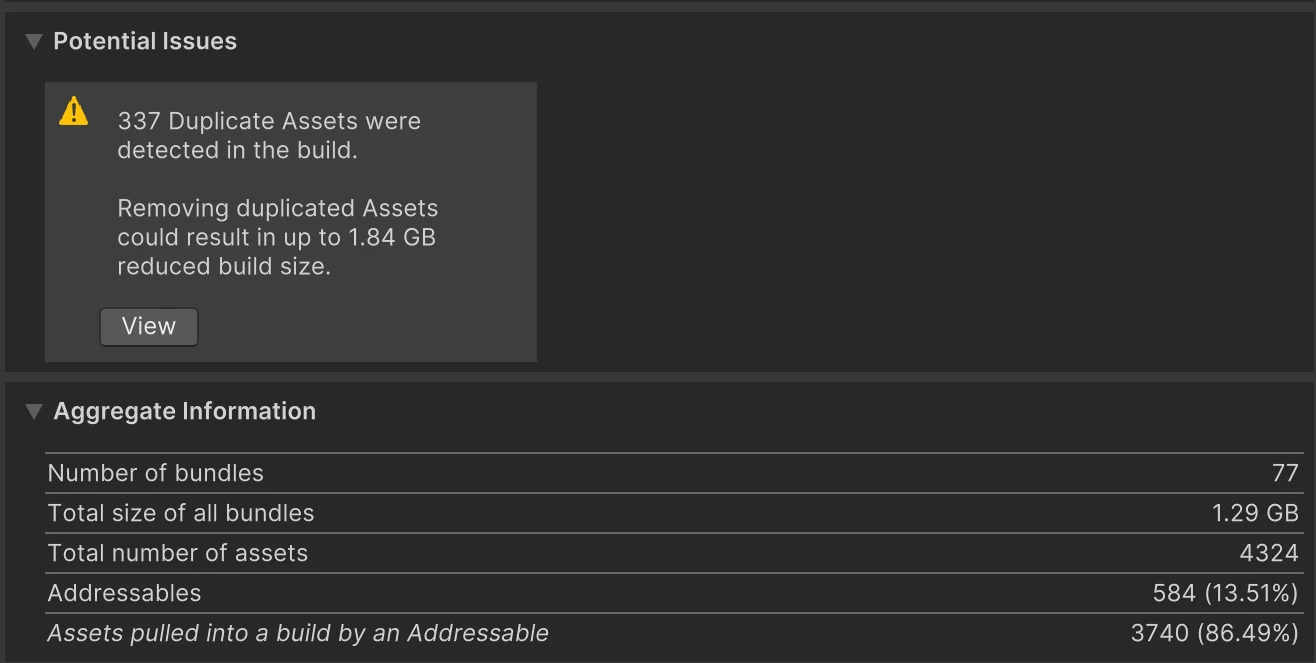
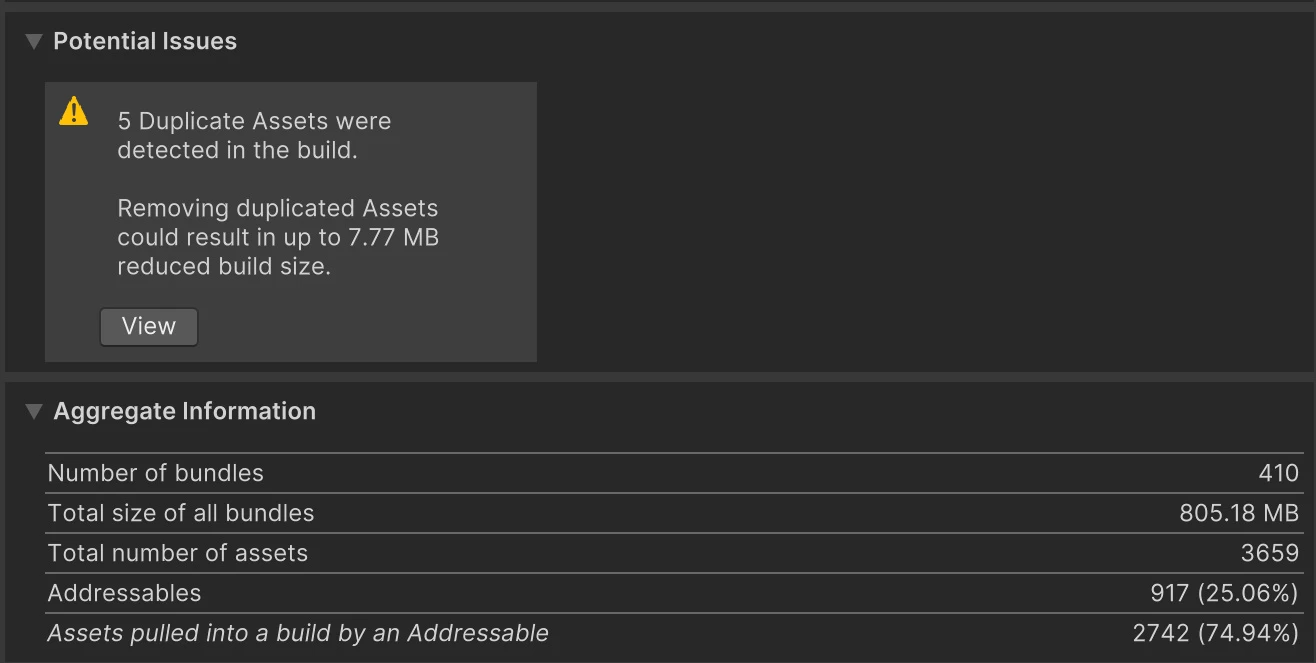
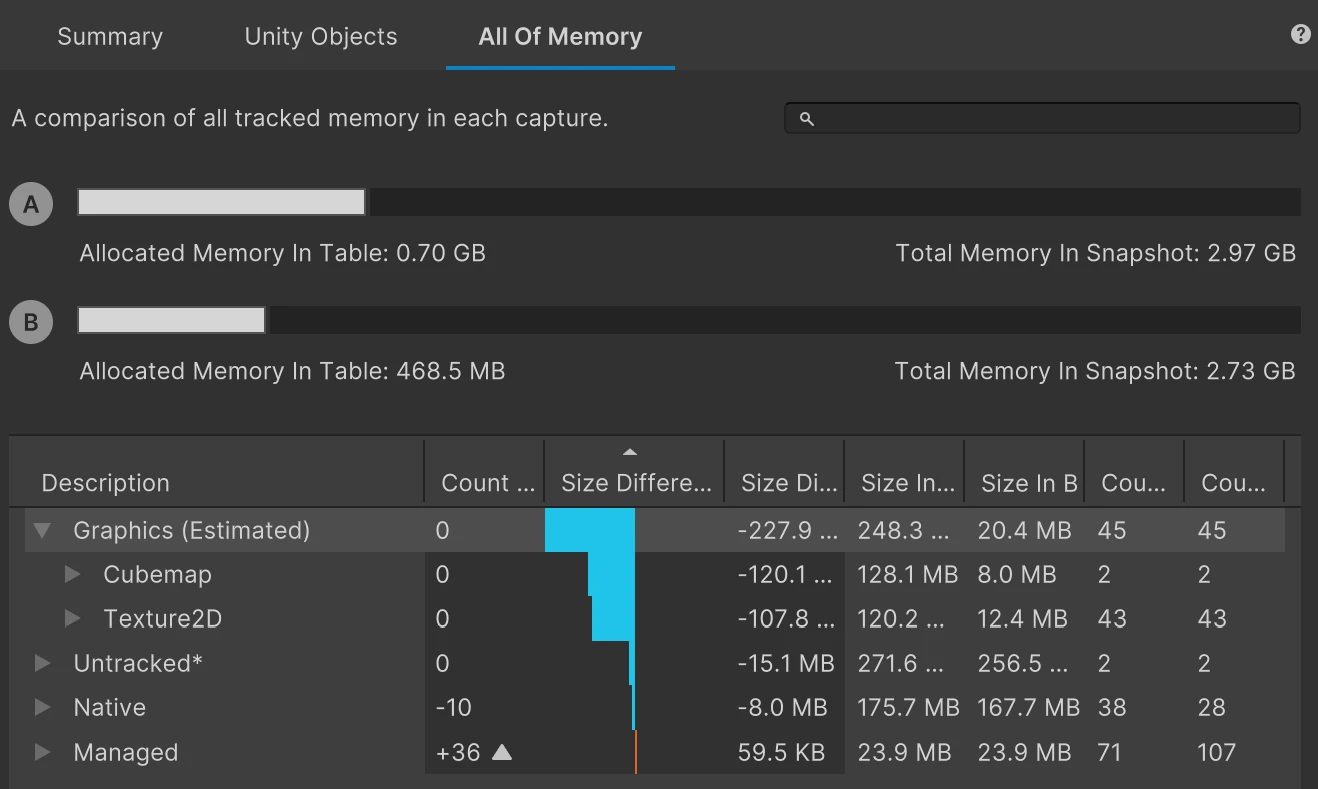
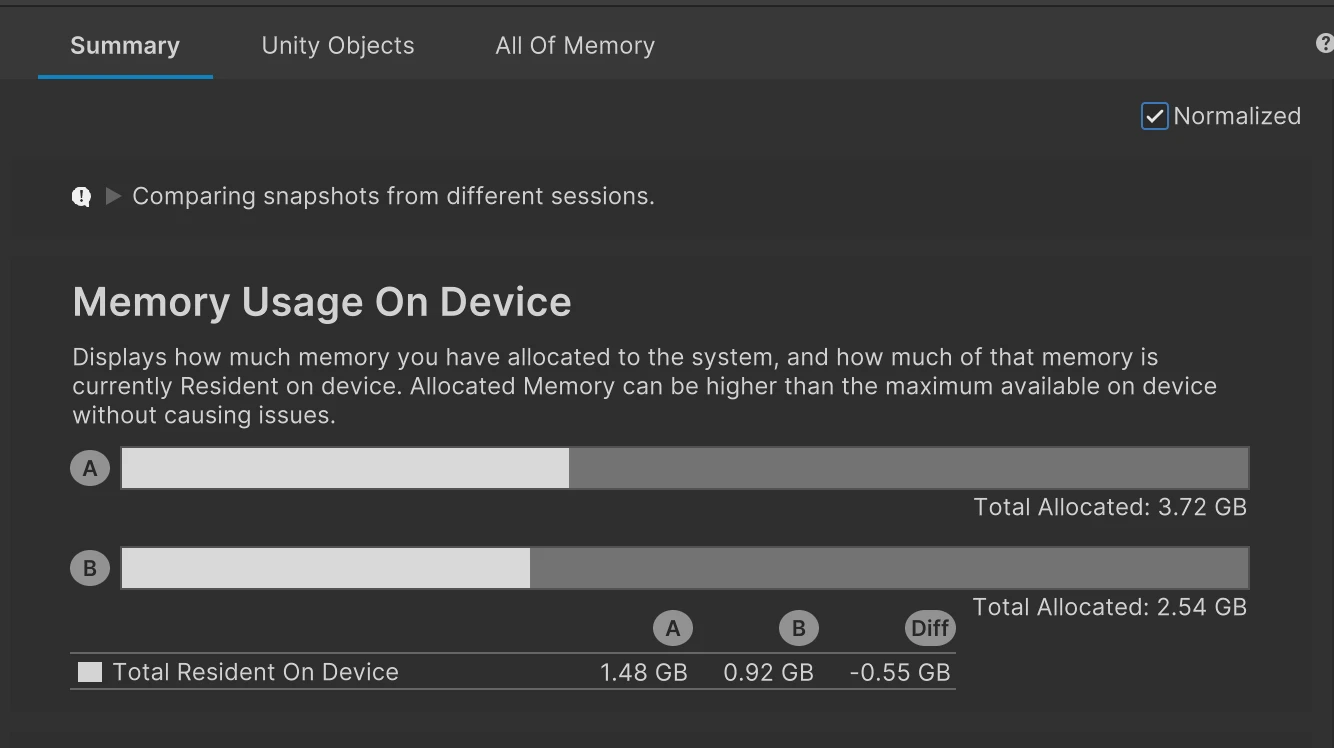
80-second demo — a real production build, 337 duplicates → 5, on disk 1.3 GB → 808 MB.
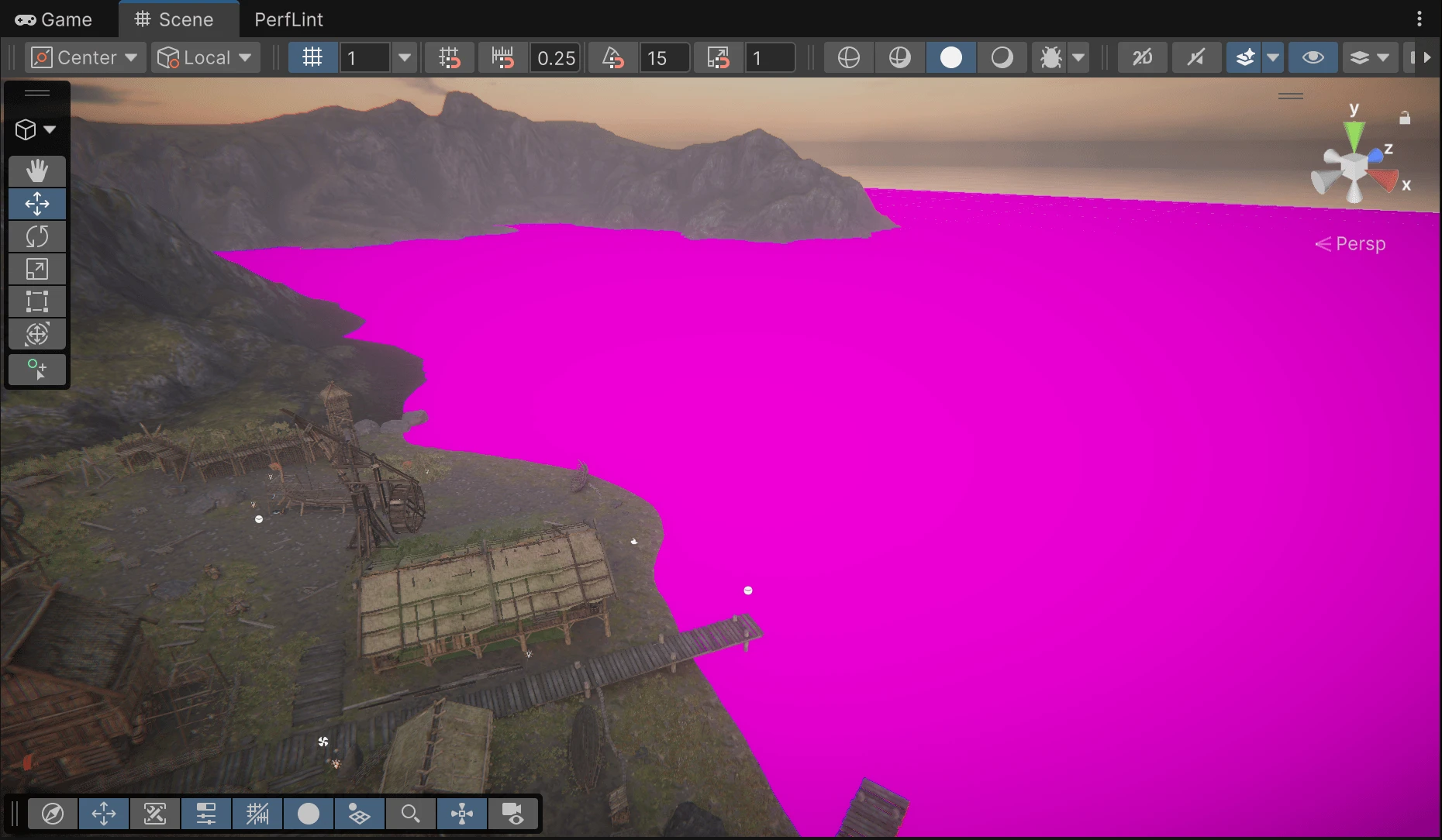
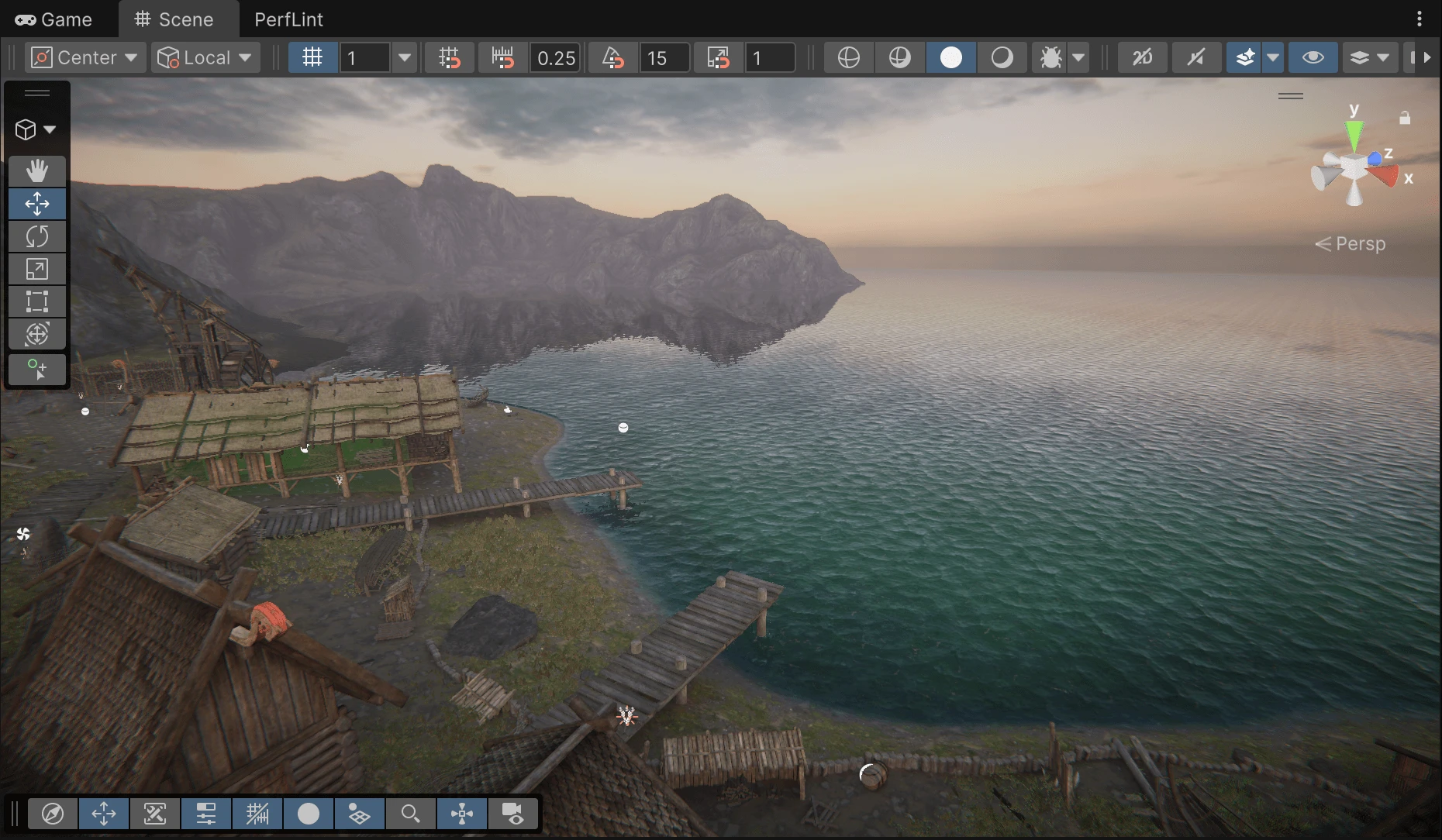
Real fixes. Measured before and after.
Not mockups — screenshots from a real Unity project after applying the fixes PerfLint found.
Deterministic diagnosis. AI only where it helps.
Detection runs on a rule engine — reproducible, offline, zero tokens. The LLM is only used to explain a finding in plain language, answer follow-ups, and generate fix snippets. Stable results, controllable cost.
🎯 Deterministic engine
Roslyn script analysis + asset/import/project-settings scanners. Same project, same findings, every time. No cloud round-trip to get a report.
🛠️ Safe one-click fixes
Import-setting fixes apply in a batch, with a preview of exactly what each one will change. They are not Edit ▸ Undo territory, so PerfLint says so at the point of action and asks you to commit first. Nothing changes your project silently.
🤖 AI Fix with a safety net
Script-level fixes are compile-verified after writing; if the build breaks, the change is rolled back automatically. Only the snippet you choose is ever sent.
Find and understand every issue.
Full scan, every finding, Play-Mode profiling, the health report, fix guidance, and 10 hosted AI Fix / Explain credits a day — or your own key, unlimited.
Apply fixes at project scale.
One-click and batch fixes, optimize-by-goal runs, Addressables de-dup, shader variant stripping, the whole-file Migration Assistant, and 5,000 AI credits a month.
Your AI agent can run it.
PerfLint registers its diagnosis as Unity Pipeline commands, so they show up as tools in Unity's own MCP server — there's no separate MCP server to install. Point your agent at it and ask in your own words — any language your agent speaks. It reads measurements instead of guessing from files.
> Apply the safe fixes with PerfLint.
perflint_scanscore 42 · grade D · 852 findings · 204 auto-fixable
“One check before I touch 95 model importers — disabling Read/Write breaks any script that reads mesh data at runtime. […] Only hit is WaterSystemFeature.cs writing to a procedurally-built mesh — that's a runtime Mesh, unaffected by import Read/Write. Nothing reads imported model geometry, so disabling it on the 95 FBXs is safe.”
perflint_fix204 applied · 0 failed · grade D → C (42 → 63)
Three findings handed back as judgment calls — a duplicate normal map whose merge rewires references, a material with a missing shader, one deprecated call. PerfLint left all three alone.
That middle step is the point. The editor's Fix All applies the same 204 changes and is quicker to click — but a button can't read your code, so it assumes nothing reads mesh data at runtime. The agent checked before it touched anything.
unity mcp configure claude-codeClaude Code · Cursor · Codex · Copilot · Windsurf · Zed. Scanning stays local and uploads nothing — findings, including paths, go to the agent you connect. How it works →
Three diagnostic domains
Every finding has a severity, an exact location, the impact, and a fix.
Find what actually costs frames
- Uncompressed / oversized textures, redundant Read/Write, Sprite mipmaps
- Per-frame GC: GetComponent / Camera.main / FindObjectOfType in Update, string concat, LINQ, WaitForSeconds
- Debug.Log left in builds, batching-breaking materials, SRP instancing hints
- Mesh & audio import settings that bloat memory
Trim the dead weight
- Duplicate assets (content-hashed groups) with one-click select + CSV export
- Unreferenced assets pulled into the build
- Conservative, low-false-positive — report-class items are never auto-deleted
Survive the Unity 6 upgrade
- Deprecated / removed APIs, located to the exact line, with replacements
- Old vs new Input System mixing, package-version vs your Unity compatibility
- manifest.json preview / legacy package checks
- Pro Migration Assistant for whole-file fixes (compile-verified, auto-rollback on failure)
Every rule has a page explaining what triggers it and how to fix it by hand — browse the rules reference →
From install to fixed in minutes
Free to diagnose. Pro to automate.
Start with a complete project health check. Upgrade only after PerfLint has shown you exactly what it can fix and how much time it can save.
Both plans scan locally. Hosted AI runs through PerfLint's zero-log proxy; a BYO key goes direct to your provider, on either plan.
Questions
Does it upload my project or source code?
No. All scanning and analysis happen locally in your editor. The only thing ever sent is, when you explicitly use Explain or AI Fix, the finding's metadata or the single code snippet you chose. By default that goes through PerfLint's proxy, which never logs request bodies, to deepseek — or, if you add your own provider key, direct to the provider, never through our servers.
Do I need an API key?
No. AI Fix and Explain work out of the box — zero config — using your plan's AI credits through our proxy. Pro users can instead add their own Claude or DeepSeek key under Advanced; those calls go direct to the provider, are unlimited, and never count against credits. The deterministic scan, findings, and health report need no key and no network at all.
Which Unity versions are supported?
Unity 2021.3 and newer, including Unity 6. Migration rules are version-aware — you won't get noise about APIs that aren't actually deprecated in your version.
Will AI Fix break my code?
AI Fix writes the change, triggers a compile, and automatically rolls back if compilation fails. It's scoped to safe, mechanical changes (e.g. API renames). We still recommend committing to version control first.
Your first project health check costs nothing.
Install in minutes, scan without an account, and see every finding before deciding whether Pro is worth it.