How We Cut an Addressables Build From 1.3 GB to 808 MB Without Deleting a Single Asset
Unity’s Build Report doesn’t mince words. On the production project in this post — a museum exhibition app with one Addressables bundle per scene — it said:
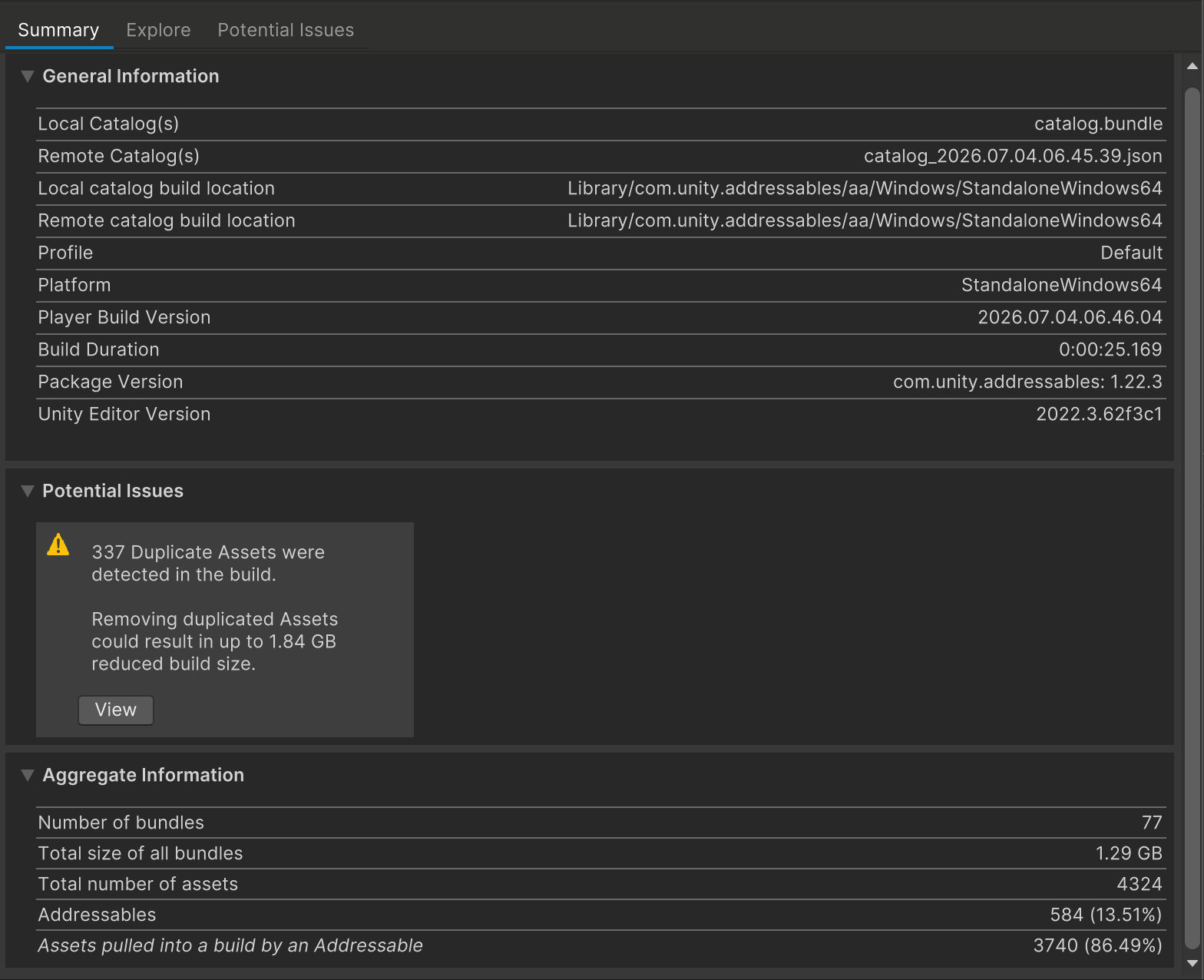
337 duplicate assets, “up to 1.84 GB” of potential savings, in a build whose bundles total 1.29 GB. The math sounds impossible until you understand the mechanism — and once you do, the fix is surprisingly close to one click. By the end of this post the same report reads 5 duplicates / 7.77 MB, and the build folder is half a gigabyte smaller. Nothing was deleted, downscaled, or recompressed.
Why your bundles are full of copies
Addressables packs what you explicitly mark. Everything else those assets reference — the textures behind your materials, the fonts behind your UI, the shared props — are implicit dependencies, and the rule for them is brutal: every bundle that needs one bakes in its own copy.
One bundle per scene (this project’s layout, and a very common one) turns that rule into a multiplier. A shared wall texture referenced by six scenes ships six times. And because the copies live inside different bundles under different internal IDs, nothing warns you at runtime — the build just quietly grows, scene by scene.
We’ve written about the mechanics before in Addressables’ duplicate-asset problem; this post is the full-size field report.
Two different diseases, one report
A PerfLint scan splits those 337 duplicates into two rules — and the split matters, because the fixes are completely different.
The extractable kind (ASSET.AADUP001). Project assets that are implicit dependencies of 2+ bundles — hundreds of them here, each row showing both sizes and the copy count, sorted by actual waste (size × copies), each with its own extract button. We’ll see the full list in a moment.
The Resources kind (ASSET.AARES001). Assets living in a Resources/ folder that
Addressables content also bakes copies of. This is where the biggest fish hide — and why
they slip past most tooling: assets under Resources/ aren’t valid Addressable candidates,
so the duplicate check everyone runs — “Check Duplicate Bundle Dependencies” — skips them
entirely. Addressables does ship a second rule that catches them, “Check Resources to
Addressable Duplicate Dependencies”, but it sits under Unfixable Rules and almost nobody
runs it. Failing that, only the post-build Build Report — which reads the real build layout —
shows them:
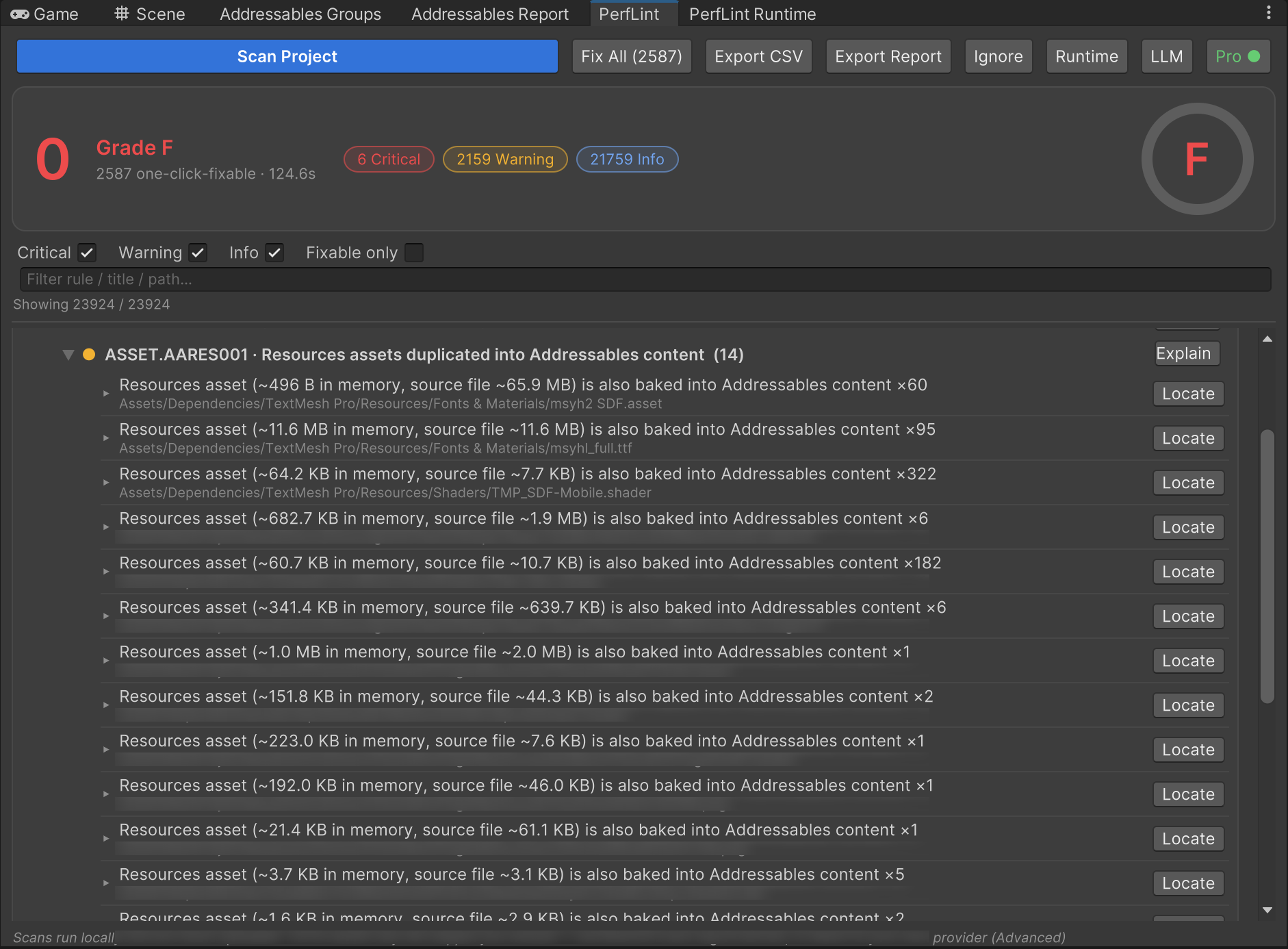
Look at those counts. A 65.9 MB TMP font atlas baked ×60. Its fallback font ×95. The
TMP mobile shader ×322. TextMesh Pro ships its fonts under Resources/ so it can
Resources.Load them — which means the player always ships that copy, and every scene
bundle that uses a TMP label bakes another one. Marking them Addressable in place can’t help;
the Resources copy still ships. They have to move out of Resources/ first.
Step 1: move the Resources offenders out
Following the finding’s guidance, the TMP fonts moved from
TextMesh Pro/Resources/Fonts & Materials/ to a normal folder (components reference font
assets directly, so nothing breaks — TMP’s Resources lookup is only for defaults). The next
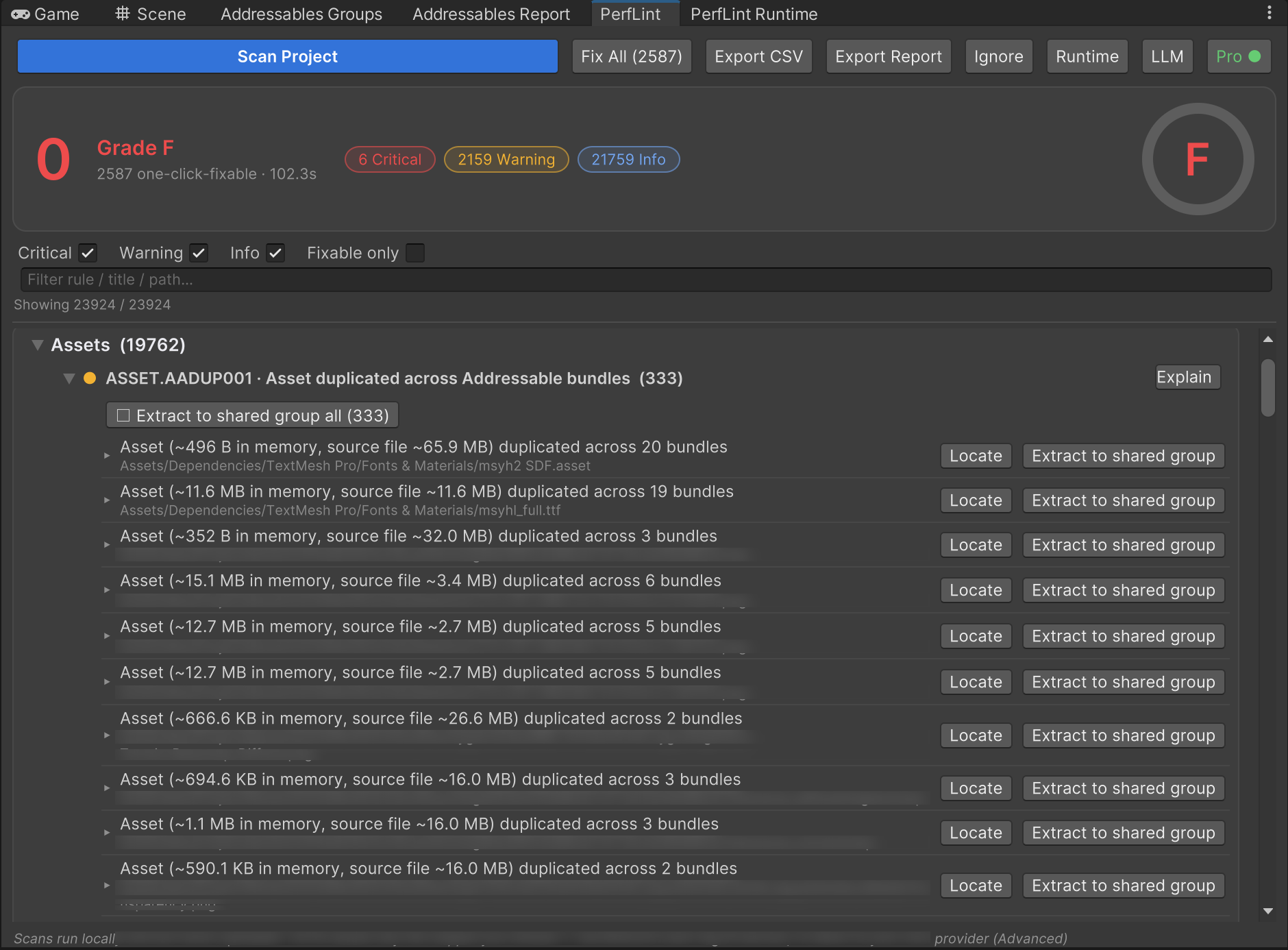
scan picks them up as ordinary extractable duplicates, and the AADUP001 list — now 333 rows —
has the two fonts right at the top: the 65.9 MB atlas duplicated across 20 bundles, its
fallback across 19:
Step 2: one click for all 333
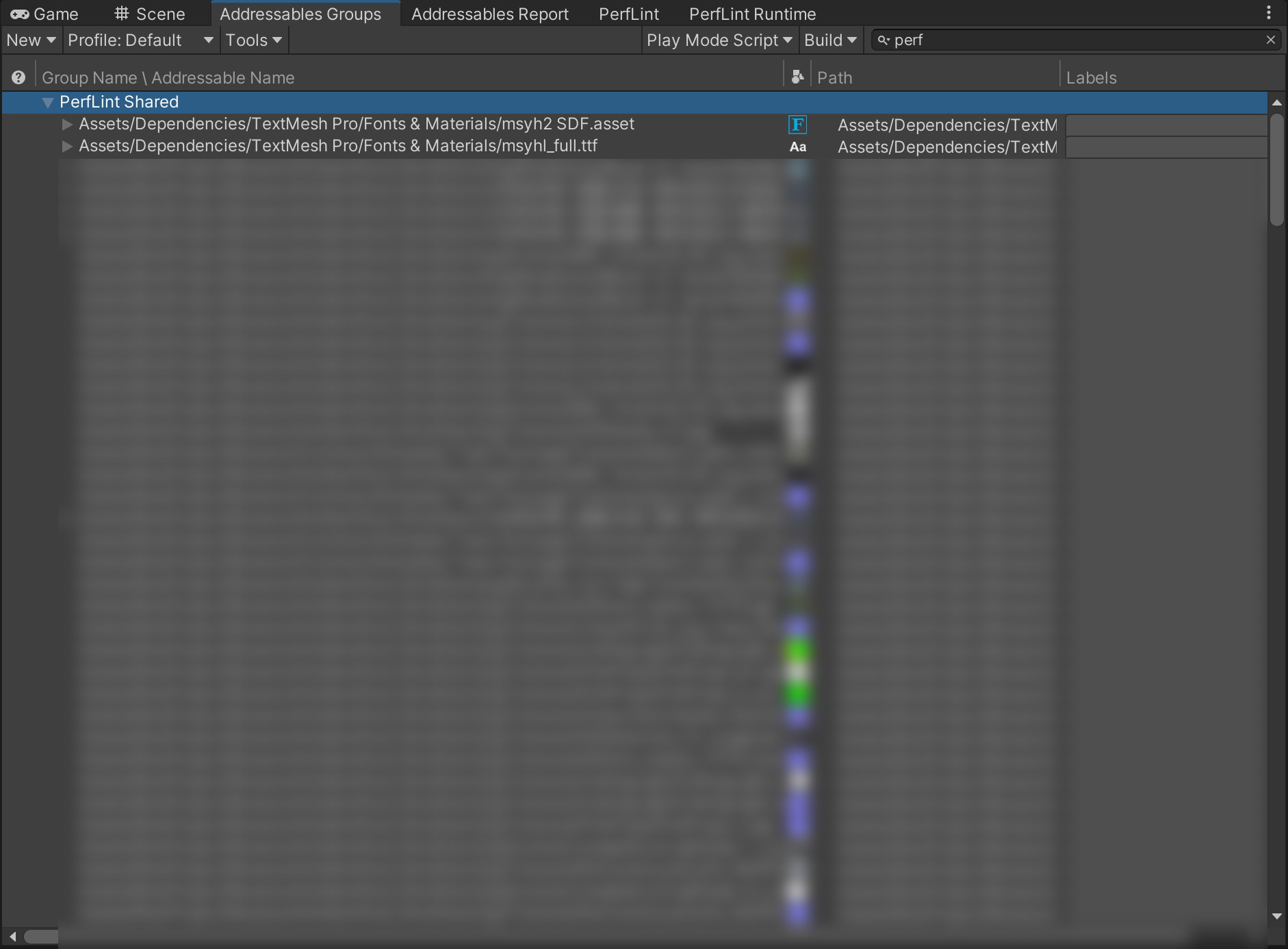
The rule-level batch marks every listed asset as Addressable inside a dedicated “PerfLint Shared” group. No references are modified — bundles that used to bake their own copy now just reference the shared one:
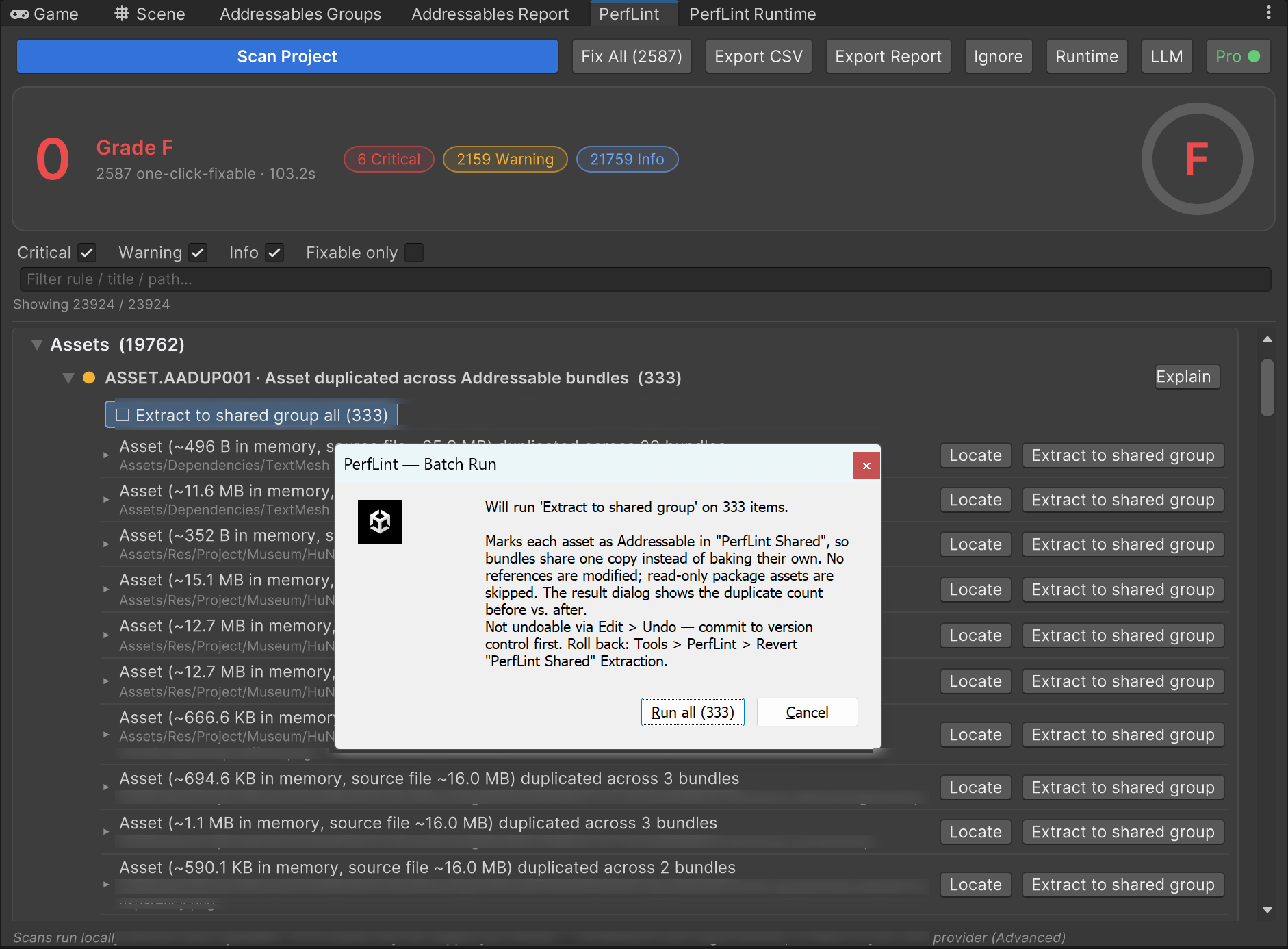
A progress bar, one save, and then the part we consider non-negotiable for a tool that touches your project — the result dialog re-runs Unity’s own duplicate analysis and shows you the before/after, so “it worked” is a measured fact, not a vibe:
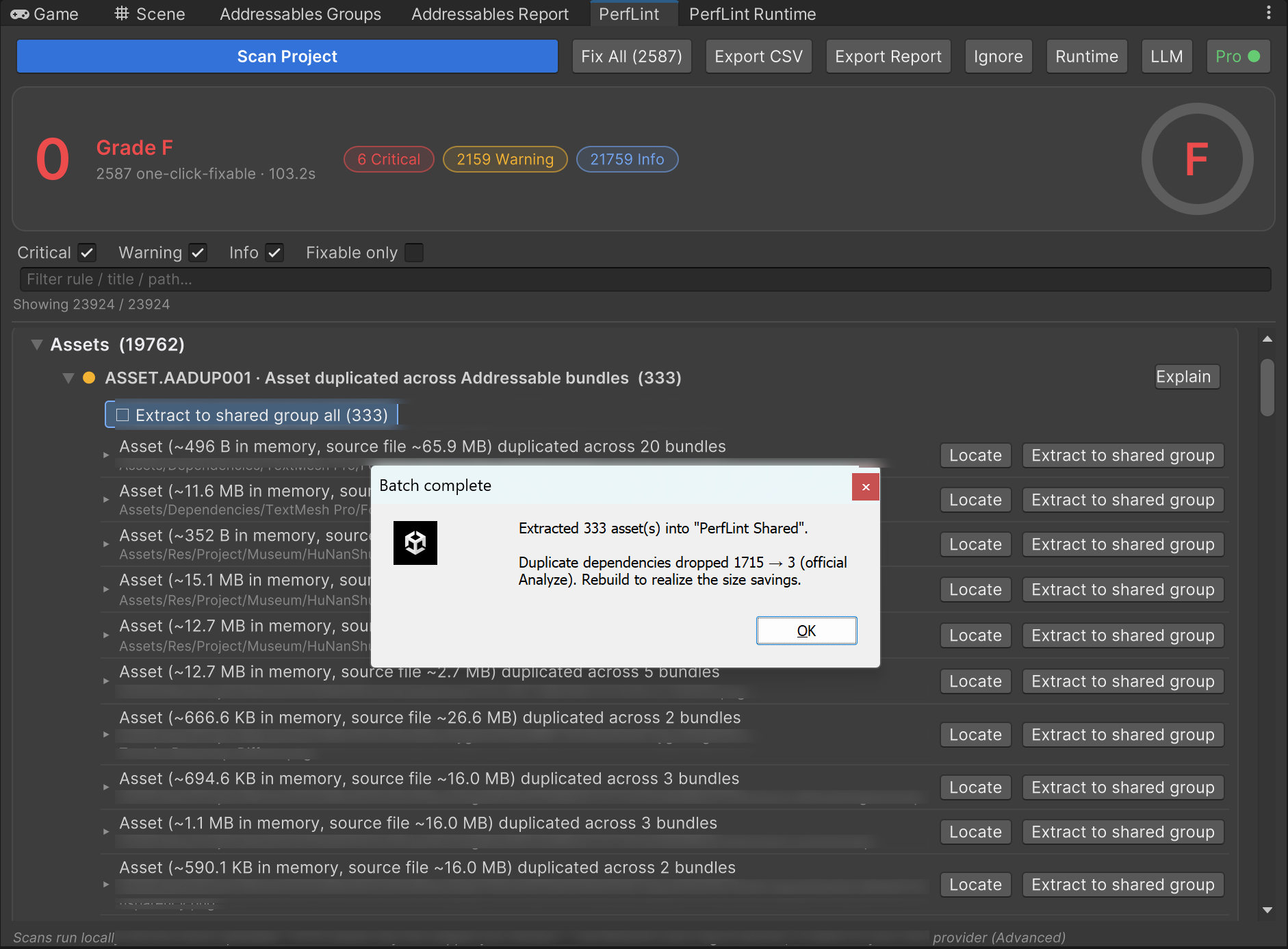
1715 duplicate-dependency rows → 3. Here’s the shared group it built, biggest offenders on top:
The receipts
Rebuild, and the same Build Report that opened this post now says:
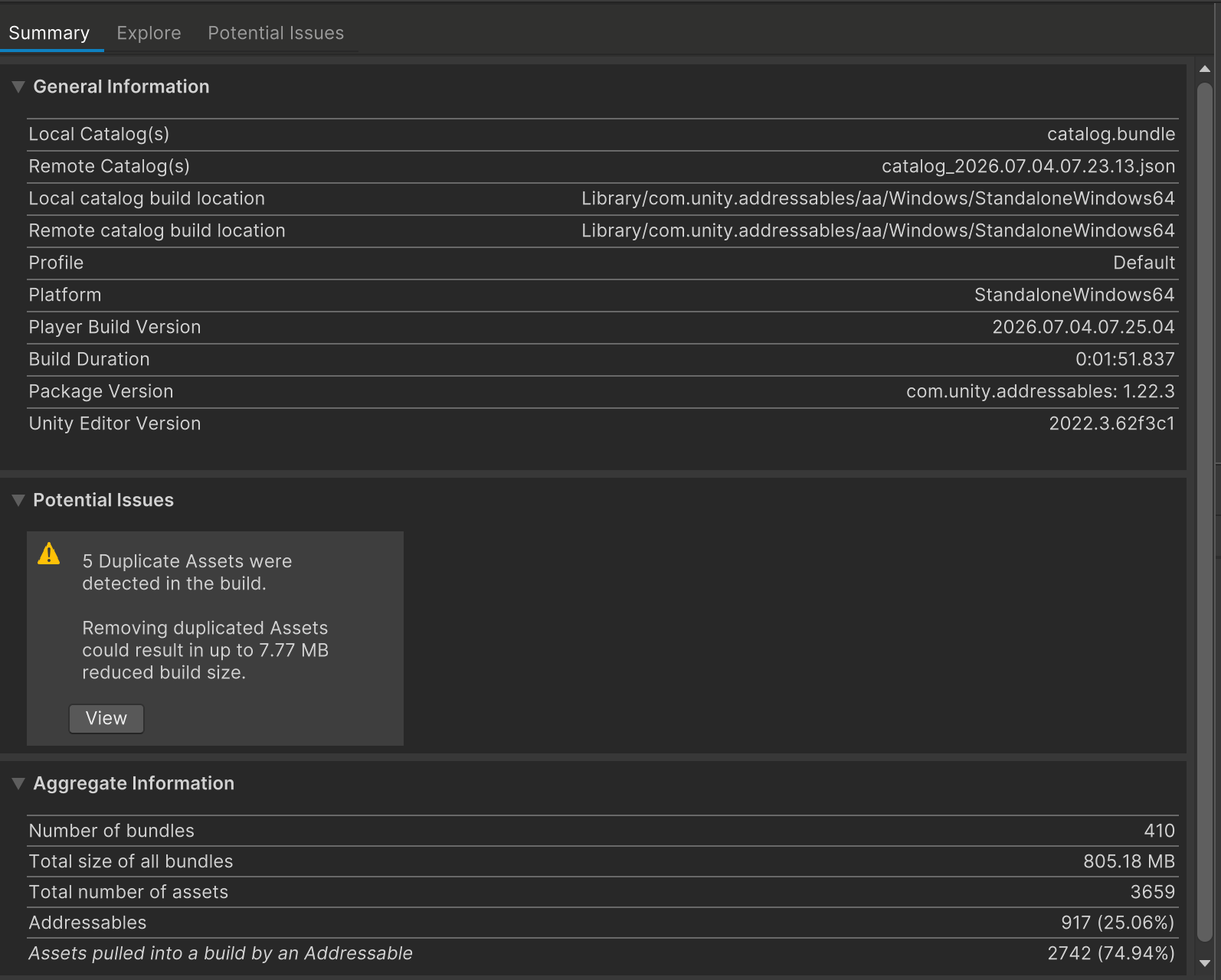
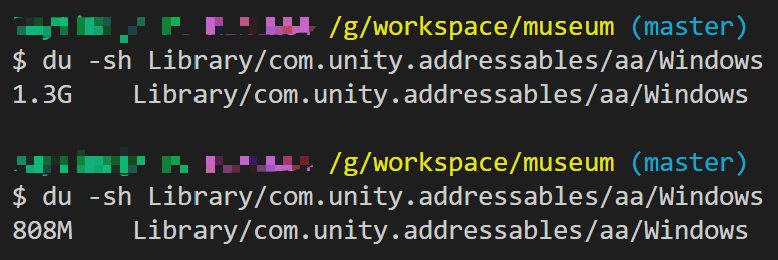
And on disk, measured with nothing fancier than du -sh on the build output before and
after:
| Before | After | |
|---|---|---|
| Duplicate assets (Build Report) | 337 | 5 |
| Potential waste | up to 1.84 GB | 7.77 MB |
| Build output on disk | 1.3 GB | 808 MB (−38%) |
The five survivors are the honest residue: unity_builtin_extra (Unity’s built-in resources
can’t be assigned to a bundle — replacing the references with project-local copies is the
only cure) and a couple of read-only Packages/ shaders, which the batch correctly skipped
and reported rather than pretending to fix.
What to take from this
- Per-scene bundles multiply implicit dependencies. If that’s your layout, you almost certainly have this problem; the Build Report’s Potential Issues panel will tell you in one glance.
- Check your
Resources/folders. Anything in there that Addressables content also references ships at least twice — and the standard duplicate analysis won’t show it. TMP fonts are the classic offender. - De-duplication is not deletion. Every asset in this walkthrough still exists, still loads, still renders. The only thing that changed is how many times it’s packed.
- Demand receipts. Any tool (or manual process) that claims to deduplicate should be able to show the official duplicate count before and after. If it can’t, you’re guessing.
PerfLint’s scan (free) finds both kinds of duplication locally — nothing is uploaded. The one-click extraction with the before/after self-check is part of Pro. Run it on your build →
Rule reference: ASSET.AADUP001 · ASSET.DUP001